
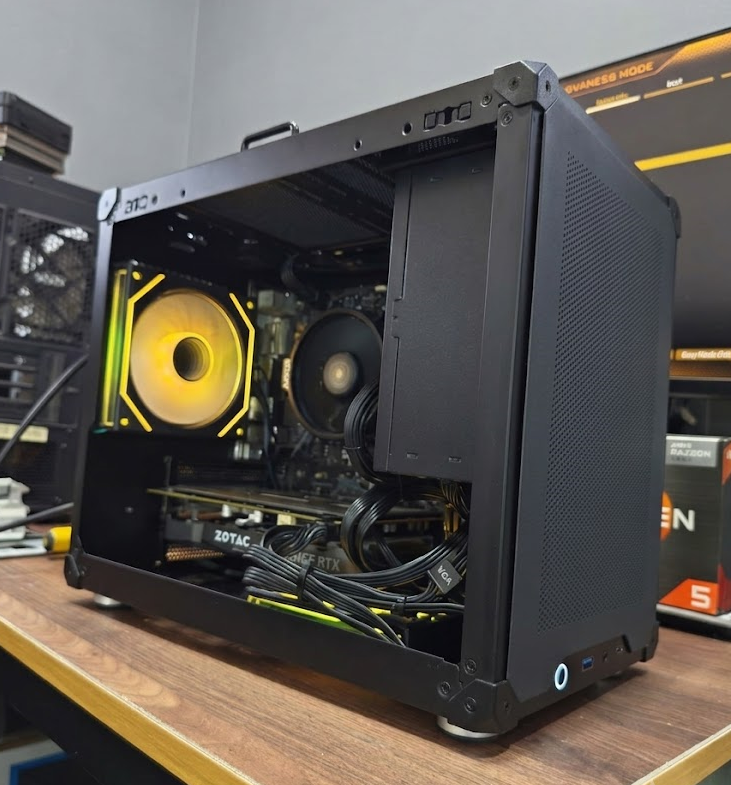
⚡ What “fully tested” means here: full teardown and repaste, sustained CPU and RAM stress passes, real GPU benchmarks with artifact and frame-time checks, SMART health on every drive, a clean Windows 11 install, and a combined CPU+GPU burn-in — before a machine gets a price tag. Use this as your checklist for any used PC, from any seller.
“Fully tested” is the most abused phrase in the used-PC market. For many sellers it means the machine turned on once. Here’s what it means at our bench — the exact process every desktop passes before it earns a price tag at Bugis Street #CFL A08. Even if you never buy from us, use this as a checklist for any used PC you’re considering, anywhere.
The full bench process at a glance
| Step | What we run | What it catches |
|---|---|---|
| 1. Teardown & clean | Dust-blow, fan clean, fresh thermal paste | Dried paste — the top cause of “my PC got slow” |
| 2. CPU & RAM | Sustained all-core load, full memory passes | Throttling, crashes, bluescreens, file corruption |
| 3. GPU | Real game benchmarks + synthetic stress | Artifacts, thermal faults, frame-time instability |
| 4. Storage | SMART diagnostic read | Worn drives heading for data loss |
| 5. Software | Clean activated Windows 11 + current drivers | Bloatware, previous owner’s data, licence tricks |
| 6. Burn-in | Combined CPU + GPU load | Anything that only fails under real pressure |
Step 1: Full teardown and clean
Every machine gets disassembled, dust-blown, and its fans and filters cleaned. The CPU cooler comes off and gets fresh thermal paste — old paste dries out over 2–4 years and is the single most common cause of “my PC got slow” complaints. On GPUs with high thermals, we repaste those too.
Step 2: CPU and RAM stress testing
We run sustained all-core CPU load tests while watching temperatures and clock speeds. A CPU that throttles or crashes under 20 minutes of load will fail on you during a long gaming session or render — this test catches it first. RAM gets full memory passes, because faulty RAM causes the most maddening symptoms of any component: random bluescreens, corrupted files, crashes that look like software problems. A stick that fails is replaced, never “monitored”.
Step 3: GPU benchmarks under real load
A graphics card can display a desktop perfectly and still be dying. We run real gaming benchmarks and synthetic stress tests, watching for artifacts (visual glitches), thermal behaviour, and frame-rate consistency — not just averages, but frame-time stability, which is what actually determines whether games feel smooth. If you’ve read our CS2 requirements guide, you know why we’re obsessive about this.
Step 4: Storage health, not just capacity
Every SSD gets a SMART diagnostic read. SSDs wear out with writes, and a drive at 70% health today is a data-loss story next year. Drives below our health threshold are replaced with tested units. This is the check almost no private seller performs — and the number one thing we’d tell you to run before buying on Carousell.
Step 5: Fresh Windows 11 and drivers
A clean, activated Windows 11 install with current GPU and chipset drivers. No previous owner’s files, no mystery bloatware, no “pre-activated” licence tricks. Plug in, log in, done.
Step 6: Final burn-in
Before the shelf, a combined load test runs CPU and GPU together — the hardest realistic scenario a machine faces. Anything that hiccups goes back to the bench, not into a customer’s home. Only after passing everything does the machine get listed with its warranty.
Why bother telling you all this?
Because the testing is the whole reason a refurbished PC with warranty is a rational purchase instead of a gamble. We can stand behind used hardware precisely because we know its condition before it leaves. If any seller — us included — can’t tell you specifically how a machine was tested, assume it wasn’t.
FAQ
How do I check a used PC myself before buying? Run a GPU stress test for at least 10 minutes and watch for artifacts, check SSD health with a SMART tool like CrystalDiskInfo, and verify the actual specs in Task Manager rather than trusting the listing.
What does “refurbished” actually mean? It should mean tested, cleaned, repasted, freshly installed and warrantied. With no seller telling you which of those happened, the word means nothing at all.
Why does thermal paste matter so much? It dries out over 2–4 years, and the resulting throttling is the most common cause of a PC that has quietly “got slow”. Every machine we sell is repasted regardless of age.
Do you test the drives, or just check the capacity? Every drive gets a SMART health read. Anything below our threshold is replaced with a tested unit rather than passed on.
Can I see the machine running before I pay? Yes — test any unit in-store at Bugis under real load. We’d encourage it, and we’d encourage the same from any seller.
See the results yourself: every build in stock can be tested in-store before you pay. WhatsApp us or drop by Bugis Street #CFL A08 — open daily 11am–8pm.
Further reading: Where to buy a cheap PC in Singapore · Is a used RTX 3070 still worth it? · Why refurbished is better · Our warranty
6-Step Test Checklist
Sustained CPU load · full RAM passes
SMART health read on every drive
Combined CPU + GPU load test
Written warranty · walk-in shop
Test the exact unit before payingBuilds from $550