
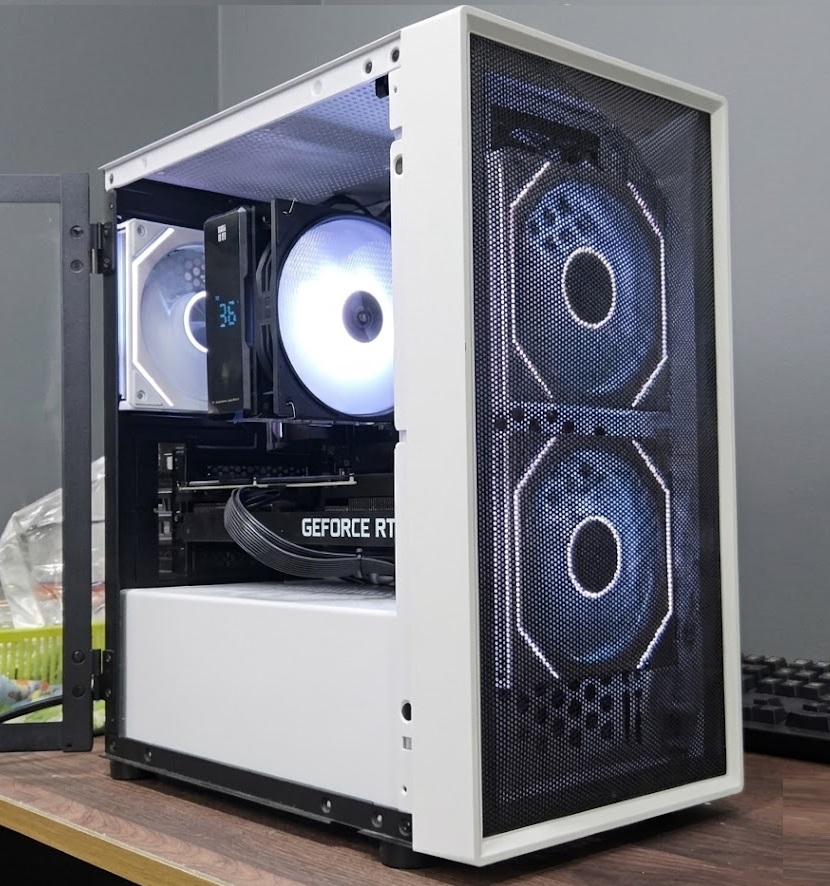
⚡ Our verdict: For schoolwork, research and Zoom, a tested desktop at $550–$650 with 16 GB RAM and an SSD is all any student needs. Add a dedicated GPU only if they genuinely game — that’s the $600–$750 tier. Everything above is marketing.
Student PC shopping in Singapore usually goes one of two ways: overpaying for a new machine that does homework, or buying a suspiciously cheap marketplace unit that dies before the semester ends. There’s a sensible middle — here’s what a student desktop actually needs, by budget.
What each budget actually buys
| Budget | CPU | GPU | RAM / Storage | What it handles |
|---|---|---|---|---|
| $550–$650 | Modern quad-core+ | Integrated | 16 GB / SSD | Essays, Classroom, Zoom, research, Roblox |
| $600–$750 | Ryzen 5 / i5 | RX 6600 XT or RTX 3060 Ti | 16 GB / NVMe SSD | All the above plus Valorant and League at high refresh |
| $900–$1,200 new | Similar | Often weaker | Frequently 8 GB | The same schoolwork, for roughly double |
$550–$650: schoolwork, research, Zoom
For essays, Google Classroom, research and video calls, the recipe is simple: any modern quad-core-or-better CPU, 16GB of RAM, and — non-negotiable — an SSD. The SSD matters more than anything else at this budget: it’s the difference between a PC that’s ready before they’ve sat down and one that’s still loading when the lesson starts.
This tier also comfortably runs the lighter games most younger students play. Our Roblox requirements guide covers exactly what the popular experiences need — spoiler: a $550–$650 build maxes it.
$600–$750: schoolwork plus real gaming
If Valorant or League of Legends is part of the picture (be honest, it is), you want a dedicated GPU. An RX 6600 XT or RTX 3060 Ti build in this range runs esports titles at high refresh rates while remaining a perfectly sensible study machine. See our honest breakdowns of Valorant and League of Legends requirements before paying for more than needed.
What NOT to pay for
A flashy case with weak parts. RGB doesn’t render essays faster. 32GB RAM. 16GB covers a student’s entire workload; put the difference toward the SSD or monitor. “Gaming” branding on office-tier hardware. Check the actual GPU model, not the sticker.
Desktop vs laptop for students
A desktop gives roughly double the performance per dollar, is cheaply upgradeable ($39 RAM or SSD upgrades vs replacing a whole laptop), and — a feature parents appreciate — stays at home. If the student commutes daily to campus with their machine, that’s when a laptop earns its premium.
Where to start
Our office and student desktops start from $550, and gaming-capable builds from $600–$750 — all tested, warrantied, with Windows 11 installed. Every machine passes our full bench testing checklist before it reaches the shelf.
FAQ
How much should I spend on a student PC in Singapore? $550–$650 covers schoolwork completely. Only go to $750 if the student genuinely games — spending more buys performance a study machine will never use.
Is 16 GB of RAM enough? Yes, comfortably — for documents, dozens of browser tabs, video calls and esports titles. 32 GB is money better spent on the SSD or a second monitor.
Desktop or laptop? Desktop, unless they carry it to campus daily. You get roughly double the performance per dollar and cheap upgrades later instead of a full replacement.
Is refurbished safe for a student’s main machine? When it’s stress-tested and warrantied, yes — and it’s upgradeable as their needs grow. The risky purchases are untested “as-is” marketplace listings, which we cover in our where to buy guide.
Not sure which tier they need? WhatsApp 9131 8317 with your budget and what the student uses it for — we’ll tell you honestly which is enough, and you can let them test the machine before you pay. Bugis Street #CFL A08, open daily 11am–8pm.
Further reading: Roblox PC requirements · SSD vs HDD guide · Refurbished vs new office PC · Plain-English PC glossary
What They Actually Need
The SSD matters most at this budget
Valorant and League at high refresh
16 GB RAM · SSD · Win 11
Tested · warranty · upgradeable later$550–$650